Gameplay Confirmed
GTA 6 Vehicle Menu: Lights, Engine, Trunk, Radio and Podcasts
GTA 6’s in-car menu: control headlights, hazard lights, the engine and the trunk, pick radio stations, and play On Demand podcast shows.
In a car in GTA 6, open the vehicle menu to switch between three tabs: Vehicle (headlights, hazard lights, engine on/off and the trunk), Radio (stations like Kaleidoscope FM and La Ola) and On Demand (shows with episodes, like podcasts). Flick the right stick to change tabs and use L1/R1 to scroll.
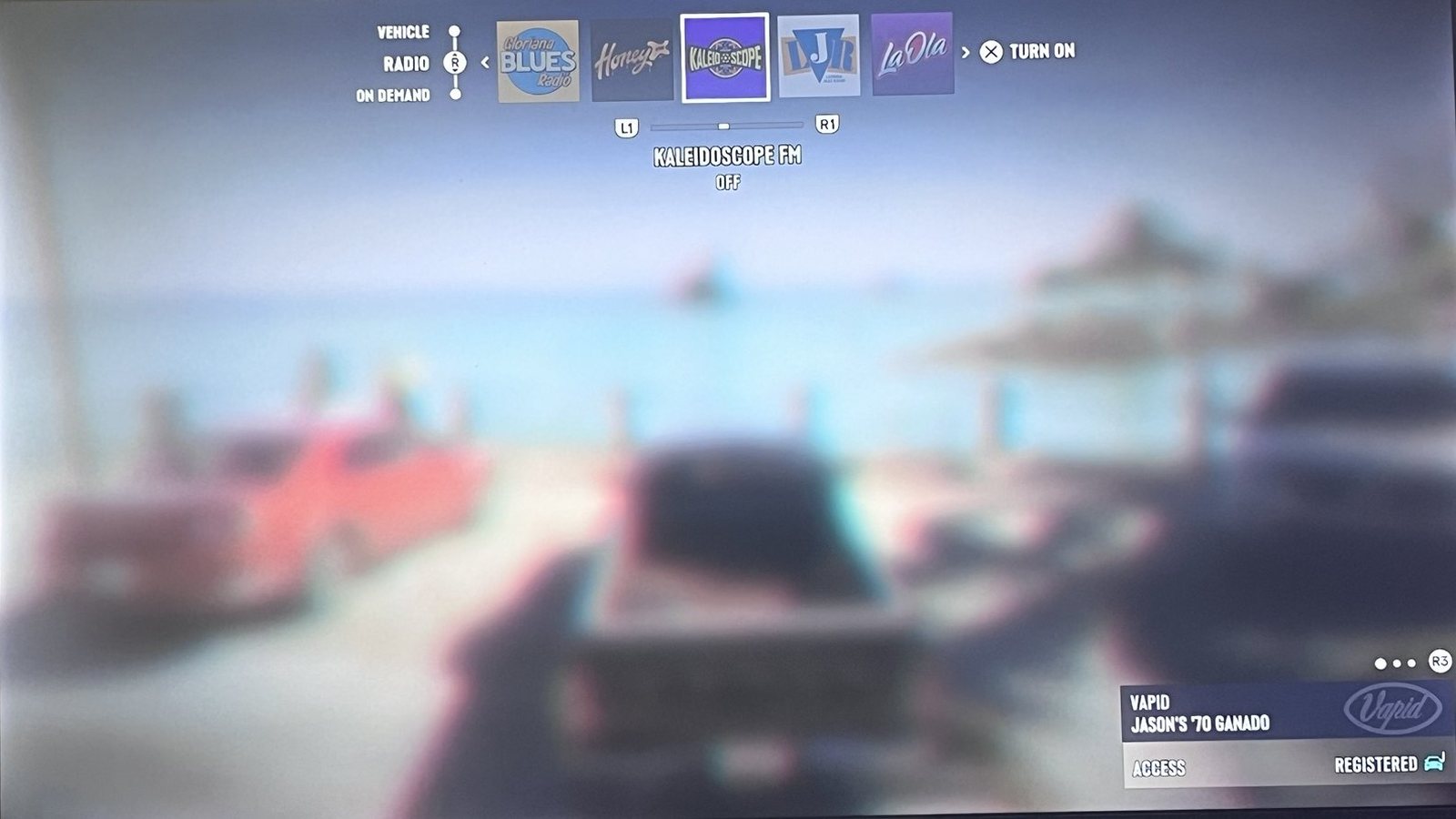
Every car in GTA 6 has a menu with three tabs: Vehicle, Radio and On Demand. That’s where you control your headlights, hazard lights, engine and trunk, pick a radio station, or play on-demand shows with episodes, like podcasts.
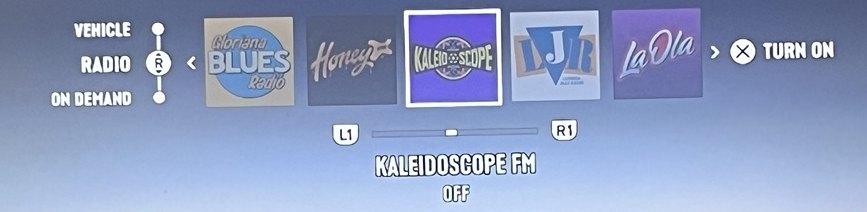
How the menu works
- Three tabs: Vehicle, Radio and On Demand, listed on the left. Flick the right stick to move between them.
- Scroll through the options with L1 and R1.
- The panel in the bottom-right shows your car. Ours: Vapid, Jason’s ‘70 Ganado, Access: Registered. Press R3 to cycle through its info.
Vehicle tab: lights, engine and trunk
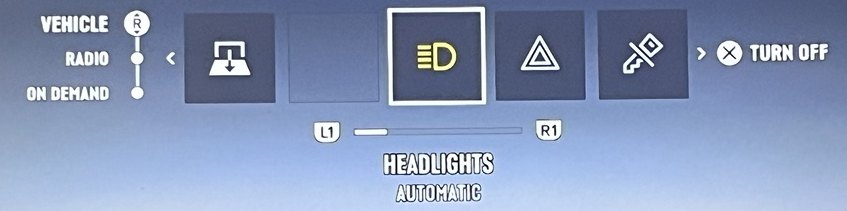
The Vehicle tab controls your car itself. Scroll with L1/R1 and press X to use an option:
| Control | What it does |
|---|---|
| Headlights | Set to Automatic by default; turn them on or off |
| Hazard lights | Turn your hazards on or off (the warning-triangle icon) |
| Engine | Turn the engine on or off (the key icon) |
| Trunk | Open or close the trunk |
Radio tab: stations
Stations we’ve seen so far:
- Gloriana Blues Radio
- Honey
- Kaleidoscope FM
- LJR
- La Ola
Highlight a station and press X to turn it on. There are more to scroll through.
Tip
Recording gameplay for YouTube? Turn on Mute Licensed Music in Settings, then Audio, so radio songs don’t get your video claimed. See our settings guide.
On Demand tab: shows with episodes
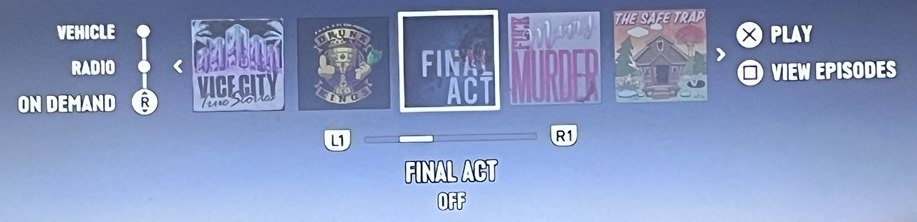
- On Demand plays shows with episodes, much like podcasts.
- Shows we spotted include Vice City True Stories, Final Act and The Safe Trap.
- Press X to play, or Square to view episodes.
Quick answers
How do you turn on headlights in GTA 6?
How do you turn off the engine in GTA 6?
How do you open the trunk in GTA 6?
What radio stations are in GTA 6?
Does GTA 6 have podcasts?
Sources
Official = Rockstar Games or the platform holder. Reported = another outlet’s reporting we could not check against an official page; it’s labeled wherever it’s used.
- Community Neon Atlas: GTA VI vehicle menu on PS5, our own screenshots (November 19, 2026) (Neon Atlas) accessed Invalid Date
Spotted an error? Send a correction; we fix verified errors quickly and note them in the update history.