Gameplay Confirmed
Can You Use Your Phone While Driving in GTA 6? Yes
In GTA 6 you can use your phone while you drive: read texts and set destinations while still steering, with the road visible behind the phone.
Quick answer Updated November 19, 2026
Yes. In GTA 6 you can pull out your phone while driving. The phone sits on one side of the screen, the road stays visible, and you keep steering while you read texts and set destinations.
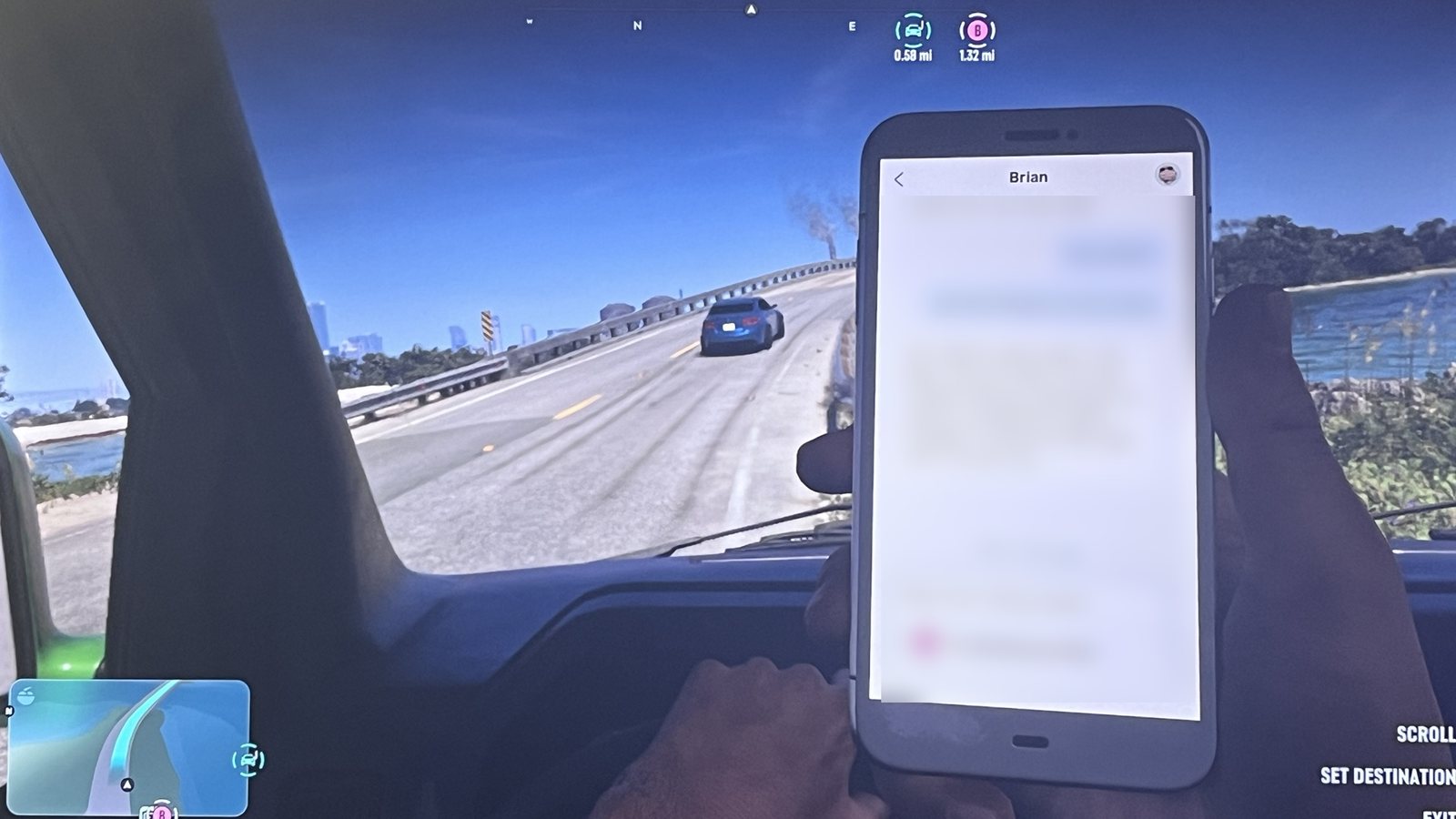
Yes: in GTA 6 you can use your phone while you drive. The phone pops up on one side of the screen, you can still see the road through the windshield, and the car keeps going under your control.
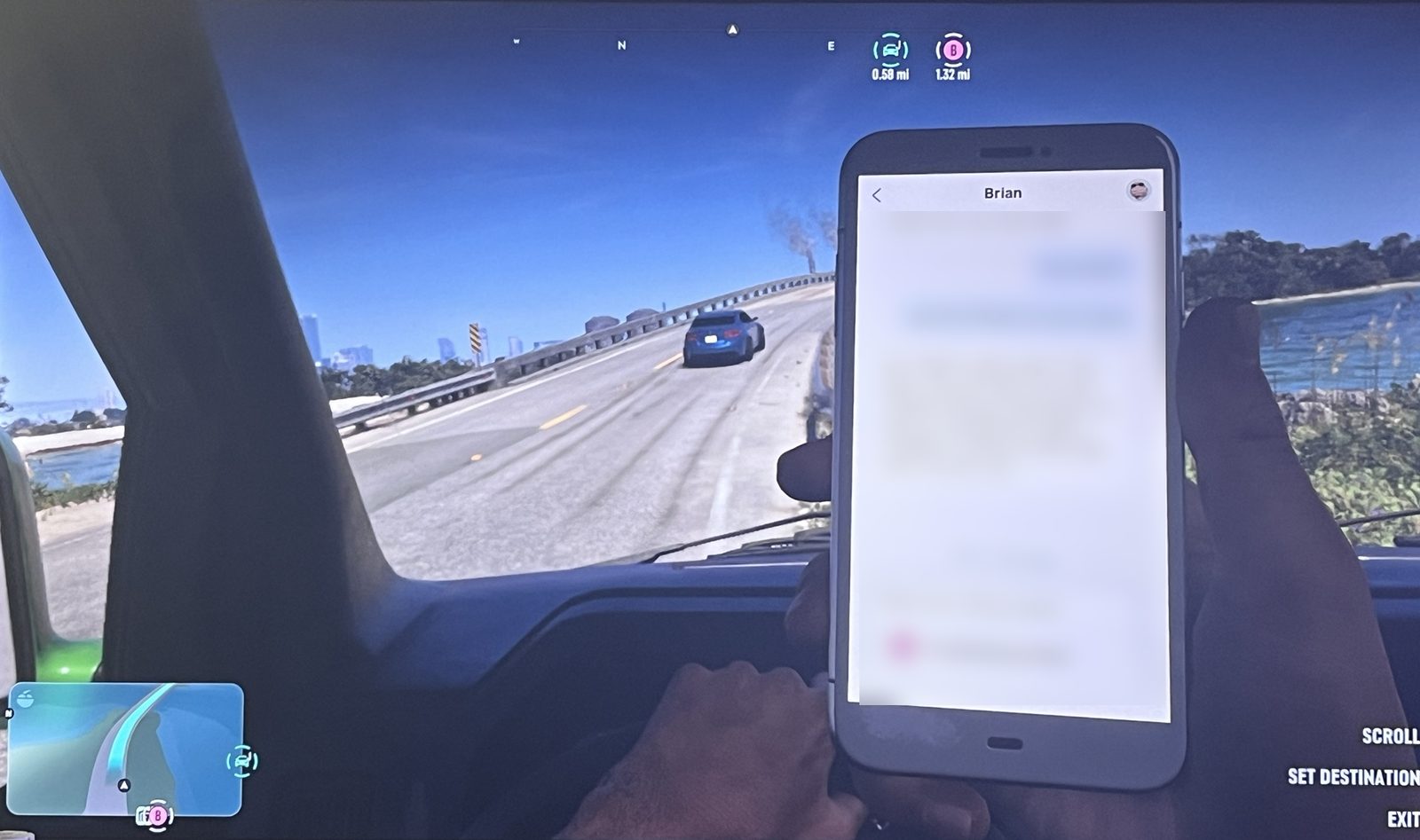
Message text blurred to avoid story spoilers.
What you can do while driving
- Read and scroll texts without stopping.
- Set a destination straight from a message that includes a place. It shows up on your minimap and compass with the distance.
- Keep steering. The road stays visible behind the phone, so you can watch traffic.
The on-screen prompts while the phone is open: Scroll, Set Destination and Exit.
Tips
- It works in first-person driving too, as in our screenshot.
- Watch the road. You’re still driving, so a quick glance is safer than reading long threads at speed.
- More about the phone: see our pause menu guide and the Waink car-scanning app.
Quick answers
Can you text and drive in GTA 6?
Can you set a GPS destination from a text in GTA 6?
Sources
Official = Rockstar Games or the platform holder. Reported = another outlet’s reporting we could not check against an official page; it’s labeled wherever it’s used.
- Community Neon Atlas: GTA VI on PS5, our own screenshot (November 19, 2026) (Neon Atlas) accessed Invalid Date
Spotted an error? Send a correction; we fix verified errors quickly and note them in the update history.