Gameplay Confirmed
GTA 6 Controls on PS5: The Default On-Foot Layout
GTA VI’s default PS5 controls on foot, from the game’s own Control Scheme screen: shoot, aim, cover, jump, run, map, radio and more, plus the 3 presets.
Quick answer Updated Nov 19, 2026, 12:31 AM EST
On PS5, GTA VI’s default on-foot controls are: R2 shoot, L2 aim/interact, R1 cover, L1 loadout, X jump/climb, Square melee, Triangle interact, Circle rest, L3 run, R3 look behind, and the touch pad opens the map.
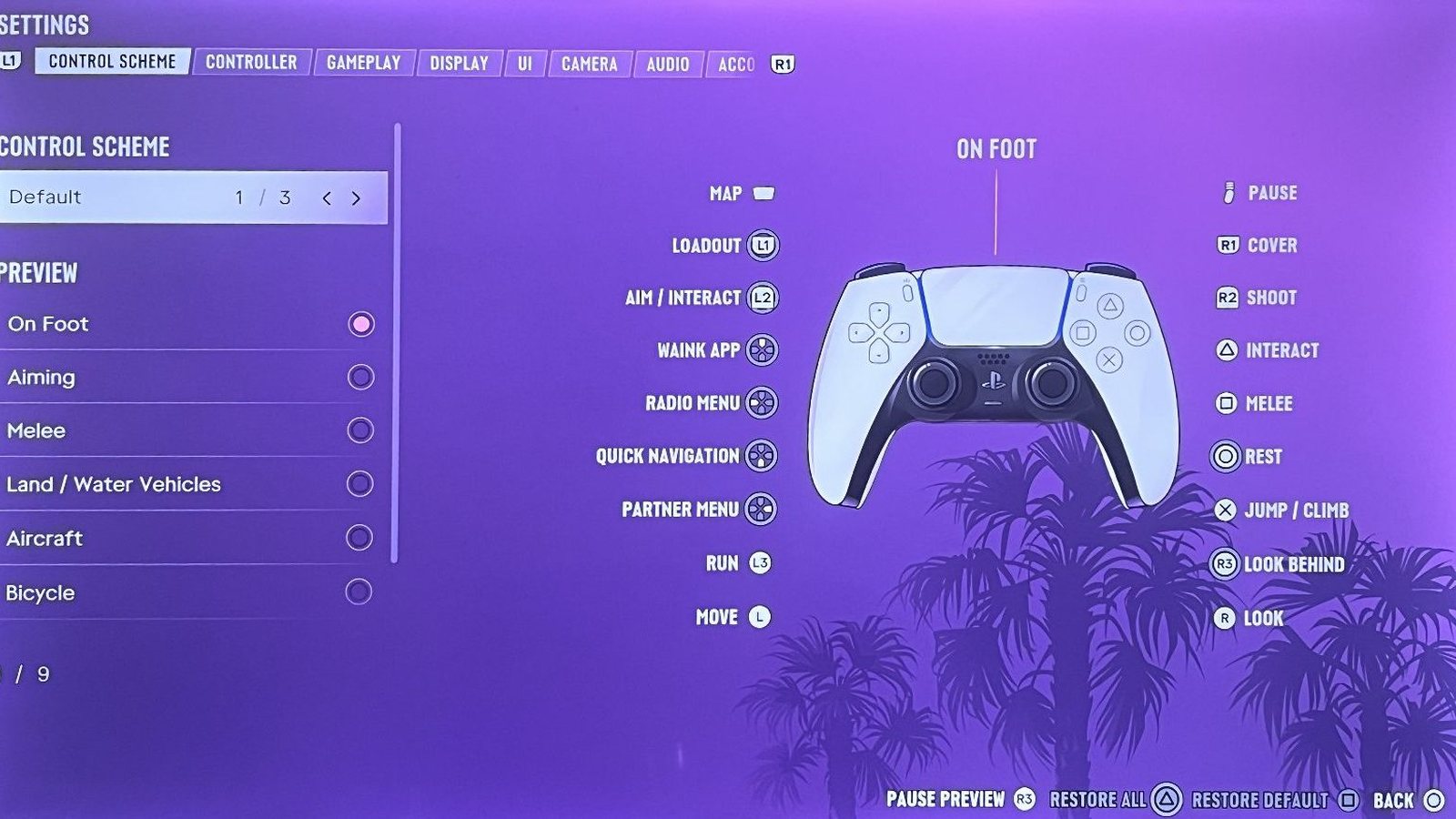
GTA VI’s default PS5 controls on foot: R2 shoots, L2 aims (and interacts), R1 takes cover, X jumps or climbs, L3 runs and the touch pad opens the map. This is the game’s own Default control scheme, read straight from the settings menu on launch night.
Confirmed
Taken from GTA VI’s Control Scheme screen on our PS5 (Default scheme, On Foot preview), November 19, 2026. Xbox controls are coming once we’ve checked them on an Xbox.
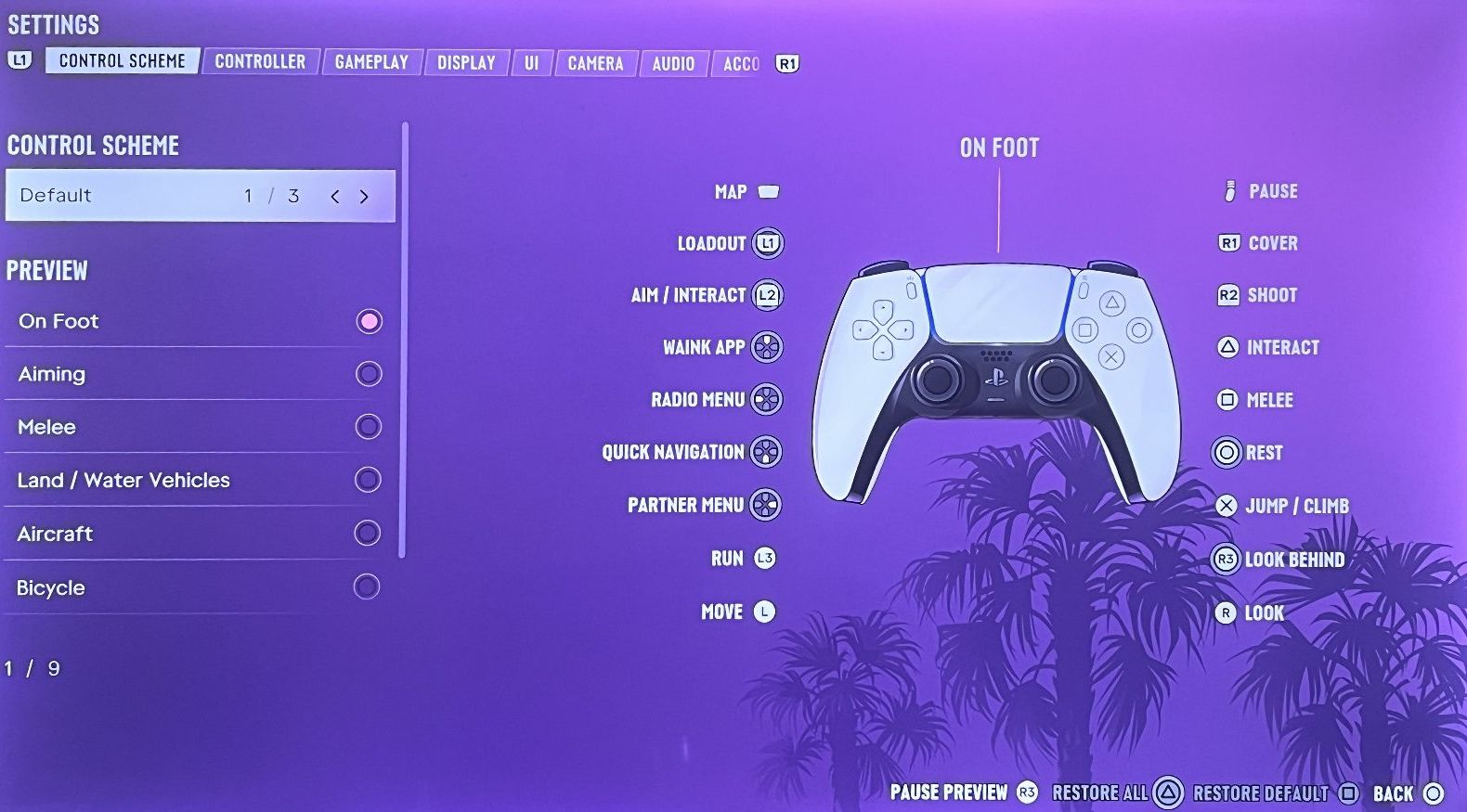
Default on-foot controls (PS5)
| Button | Action |
|---|---|
| Left stick | Move |
| L3 (click left stick) | Run |
| Right stick | Look |
| R3 (click right stick) | Look behind |
| R2 | Shoot |
| L2 | Aim / interact |
| R1 | Cover |
| L1 | Loadout |
| X | Jump / climb |
| Square | Melee |
| Triangle | Interact |
| Circle | Rest |
| Touch pad | Map |
| Options | Pause |
| D-pad | Waink app, radio menu, quick navigation and partner menu (one direction each) |
Control presets and previews
- 3 control schemes: Settings → Control Scheme. Default is the first of three.
- Previews show the layout for: On Foot, Aiming, Melee, Land / Water Vehicles, Aircraft, Bicycle, Swimming and Parachute.
- Press Triangle to restore all, or Square to restore one default.
Controls worth changing
- Movement speed: ours was set to Walk, which caps you at a walk even with the stick fully pushed. Change it in Settings → Gameplay → Movement Speed.
- Hold or press: Settings → Gameplay lets you switch Aiming, Interact, Loadout, Nitrous and Directional Button Actions between hold and press.
- Focus is on L3 + R3 by default, with one alternative.
- Map button: the touch pad can be changed in Settings → Controller → Touch Pad Button.
Fighting moves (punch, grab, choke, body slam, tackle) are in our GTA 6 fighting guide.
For every other option, see our GTA 6 settings guide.
Quick answers
How do you run in GTA 6 on PS5?
How do you open the map in GTA 6?
Can you change the controls in GTA 6?
Sources
Official = Rockstar Games or the platform holder. Reported = another outlet’s reporting we could not check against an official page; it’s labeled wherever it’s used.
- Community Neon Atlas: GTA VI Control Scheme screen on PS5, photographed on launch night (our own copy) (Neon Atlas) accessed Invalid Date
Update history
- : Published from our own PS5 Control Scheme screenshot on launch night.
Spotted an error? Send a correction; we fix verified errors quickly and note them in the update history.