Gameplay Confirmed
GTA 6 Wanted Level and HUD Explained
How the GTA 6 wanted level works: white stars in a chase, red stars when police are searching, and the icons for what cops remember about you.
Quick answer Updated Nov 19, 2026, 4:04 PM EST
In GTA 6 your wanted level shows as stars in the top-right corner. White stars mean police are actively chasing you; once you get away the stars turn red, meaning you are still wanted and they are searching the area. Icons under the stars show what the police remember about you: your outfit, appearance and car.
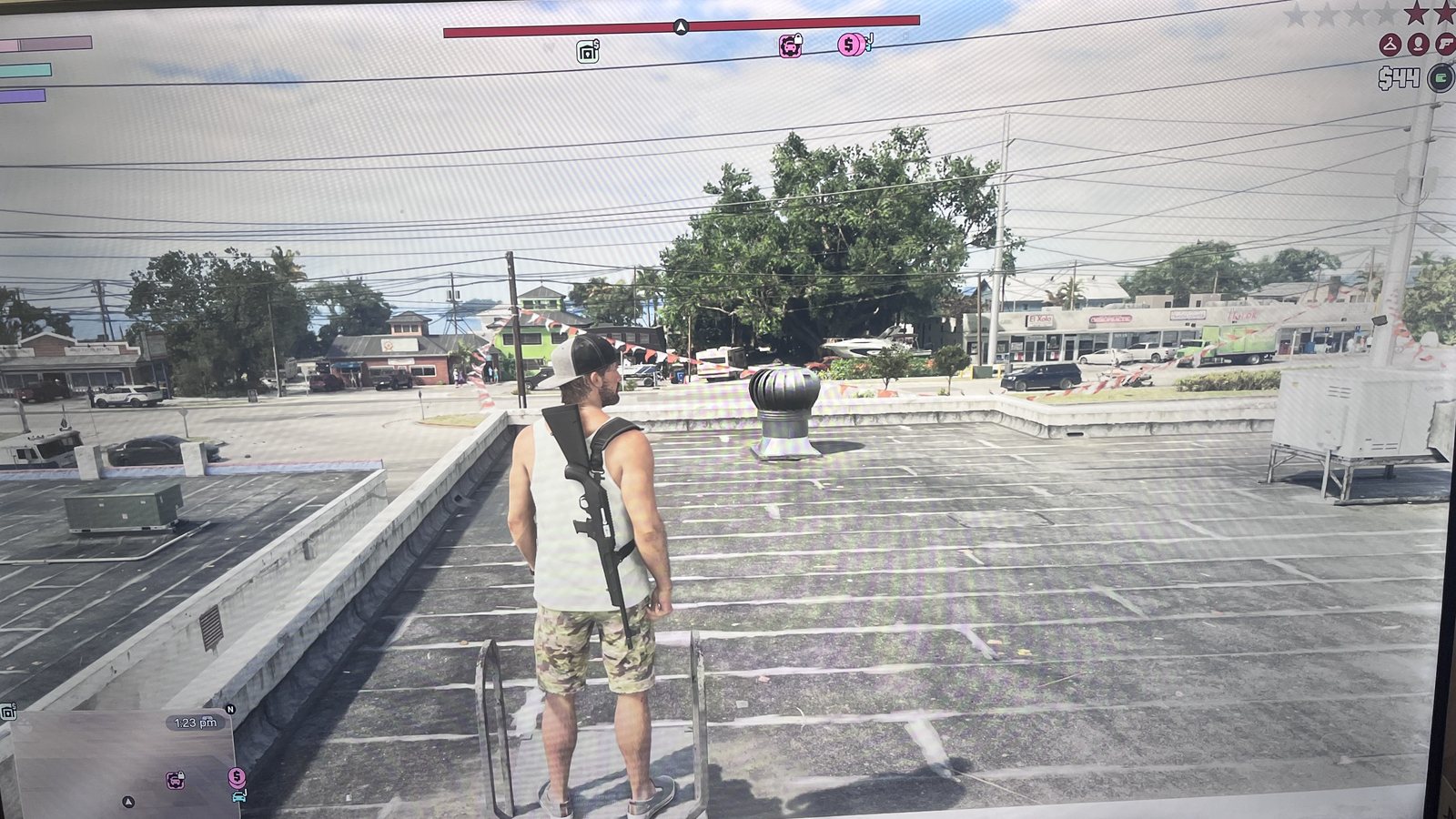
In GTA 6 your wanted level shows as stars in the top-right corner. White stars mean the police are chasing you; red stars mean you got away but they are still searching the area. Here is how it works, from our own PS5 copy.
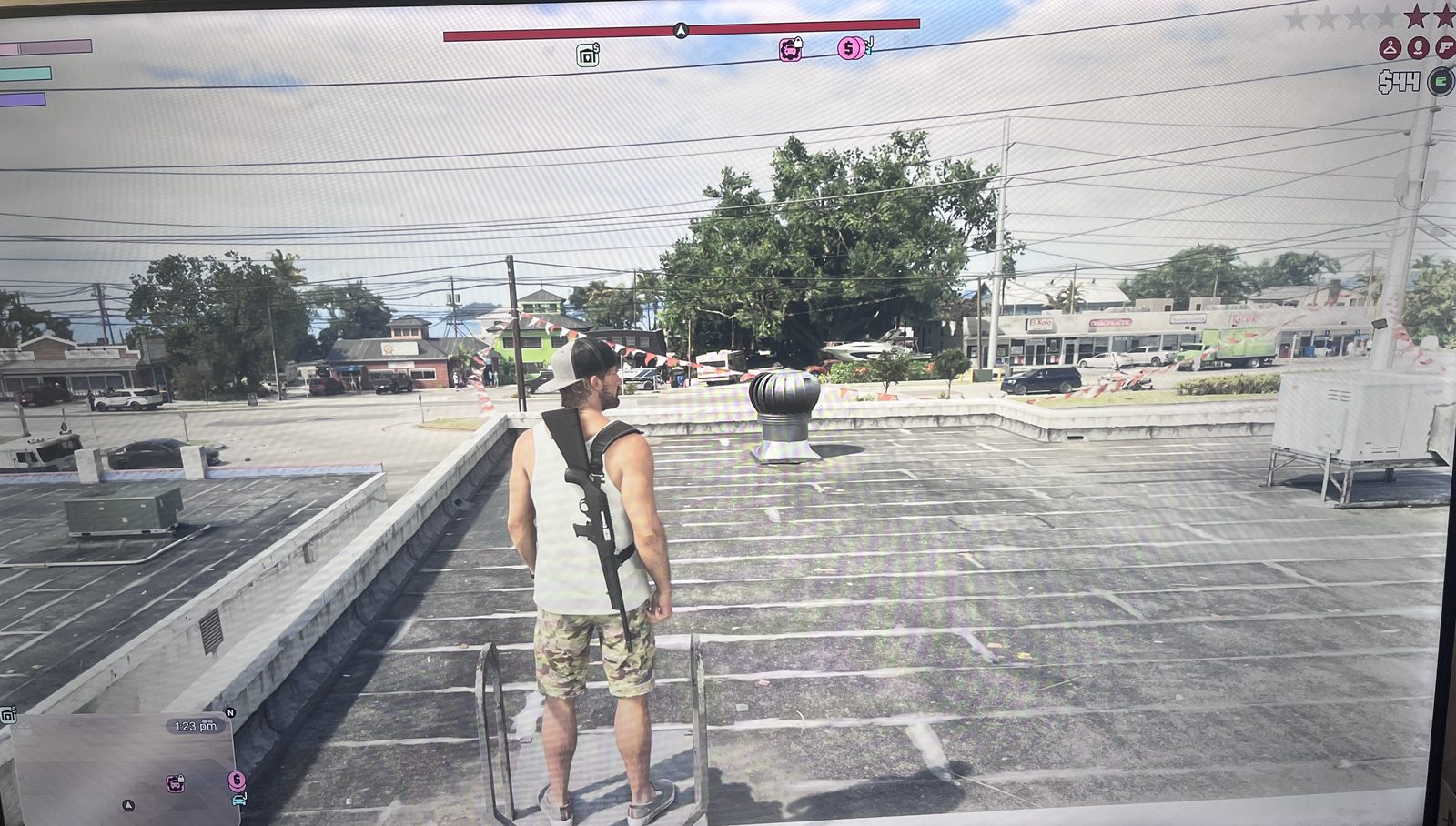
White stars vs red stars
| Stars | What it means |
|---|---|
| White | The police are actively chasing you right now. |
| Red | You got away, but you are still wanted: police are searching the area for you. |
There are six star slots; more stars means more police. Ours was at 2 stars, in red, after escaping. While police are searching, the compass bar along the top of the screen turns red too. Leave the area and stay out of sight until the stars clear.
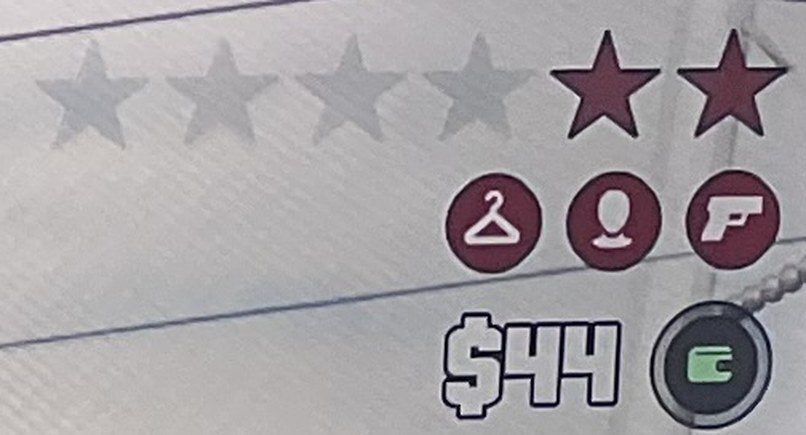
What the police remember about you
Under the stars are icons for what the police remember about you:
| Icon | What they remember |
|---|---|
| Clothes hanger | Your outfit |
| Head | Your appearance |
| Car / vehicle | Your car |
In our screenshot the third icon was a gun, because we were on foot with a weapon. Change what they remember (a new outfit, a different car) to make yourself harder to spot. Even Brian tells Jason to go to a store “to get a change of clothes so the cops aren’t all over you.”
The rest of the HUD
- Top left: three bars (health, plus two more meters).
- Top right: your cash, under the wanted icons.
- Bottom left: the minimap, with the time of day.
- Top of the screen: the compass, with icons for nearby places.
Weapon wheel
Hold L1 to open the weapon wheel. It has Weapons and Items tabs (switch with R1) and shows the ammo for each gun.
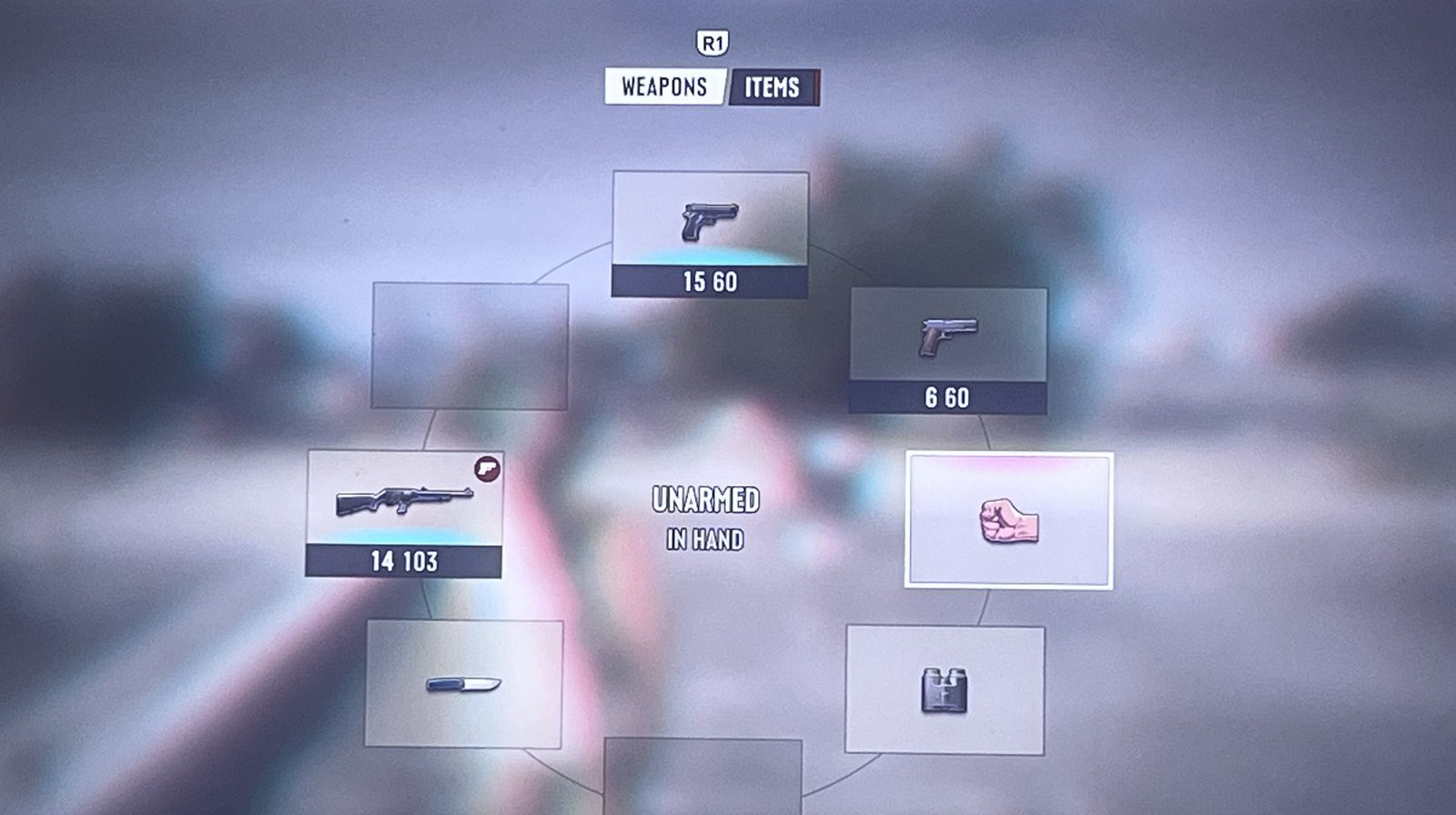
More controls: GTA 6 controls on PS5.
Quick answers
How many wanted stars are there in GTA 6?
Why are my wanted stars red in GTA 6?
What are the icons under the wanted stars in GTA 6?
Sources
Official = Rockstar Games or the platform holder. Reported = another outlet’s reporting we could not check against an official page; it’s labeled wherever it’s used.
- Community Neon Atlas: GTA VI on PS5, our own screenshots (November 19, 2026) (Neon Atlas) accessed Invalid Date
Update history
- : Published from our own PS5 screenshots.
Spotted an error? Send a correction; we fix verified errors quickly and note them in the update history.